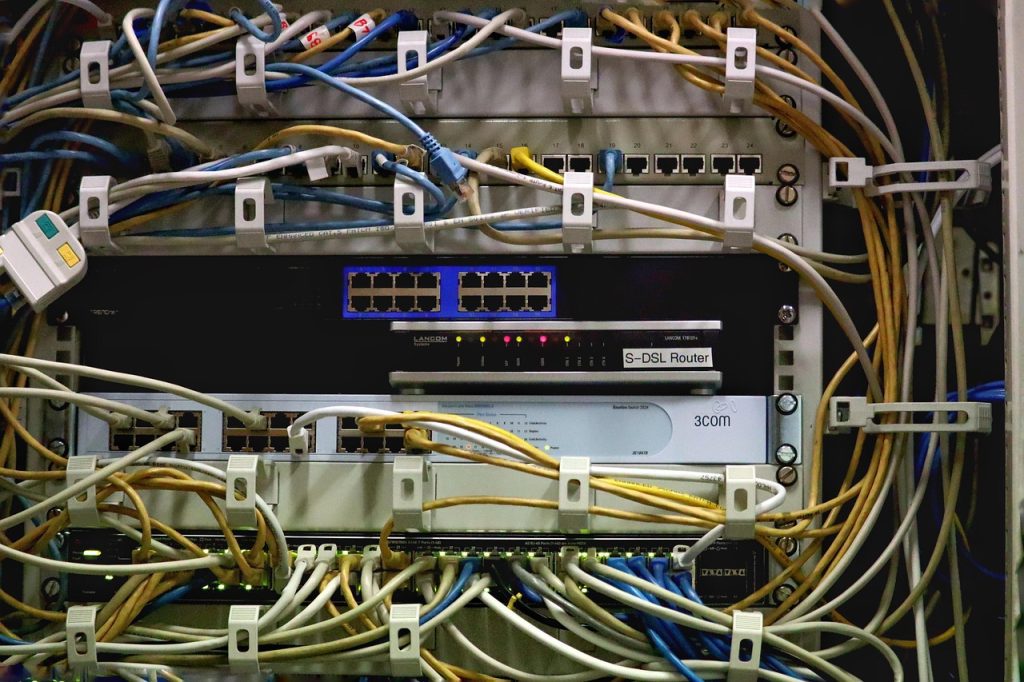
A VPS and a VPN share three words and nothing else. A virtual private server is a rented compute boundary: CPU shares, RAM, a disk, and a network interface that you control at the operating-system level. A VPN is a transport construct: an encrypted tunnel that changes the path and apparent origin of traffic you already generate. One is a machine, the other is a routing decision. Understanding that split makes the purchase decision trivial, because the two services are not substitutes — they are layers.
What each one actually does at the packet level
When you connect to a VPN, your client creates a tunnel interface — wg0 for WireGuard, tun0 for OpenVPN — and routes traffic into it. Inside that tunnel you get a new source IP, and the exit node rewrites the outer IP header before forwarding. Latency increases by roughly the round-trip time to the exit node plus encryption cost. On a modern CPU with AES-NI, WireGuard adds on the order of 0.1–0.3 ms per packet at gigabit rates; the RTT to the exit node dominates.
When you rent a VPS, you receive a KVM or LXC guest with a public IPv4/IPv6 address, root access, and a baseline share of a physical host. Nothing about your traffic is encrypted by default. What you get is a persistent, addressable endpoint that can run sshd, a web server, a database, or indeed a VPN server — because a VPN is just software, and the VPS is just the machine it runs on.
| Dimension | VPS | VPN |
|---|---|---|
| Unit of purchase | vCPU, RAM, GB disk, TB transfer | Subscription, usually per-device |
| Access model | root / sudo, full kernel control via KVM | Client app, no host access |
| Persistence | Stateful disk, survives reboots | Session-scoped tunnel |
| Latency effect | Fixed: your users’ RTT to the datacenter | Added: your RTT to the exit node |
| Throughput ceiling | Port speed, e.g. 1 Gbps, minus overhead | Provider-dependent, often 200–800 Mbps |
| Failure blast radius | Your services go down | Your connectivity path changes or drops |
| Typical monthly cost | $5–$50 | $3–$12 |
Measuring the difference instead of arguing about it
Two commands settle most VPS-versus-VPN confusion empirically. First, baseline the raw path with mtr -rwzbc 100 target.example.com. The Avg and StDev columns at each hop tell you where latency is introduced. Second, repeat the same test with the tunnel active. If the first hop after your gateway shows +40 ms, that is the tunnel, not the server.
For throughput, use iperf3 against a known peer. A bare-metal path on a 1 Gbps port typically reaches 940 Mbps. The same transfer through WireGuard on a 2-vCPU guest lands around 600–850 Mbps depending on MTU and whether you are running single- or multi-queue. Setting MTU = 1420 on the tunnel interface avoids fragmentation and is the single highest-yield tuning knob.
If you are evaluating server specs for the hosting side of the decision, the VPS plans and hardware specifications listed on virtualserversvps.com give you the vCPU, RAM and port-speed numbers you need to run these tests against a real target instead of a spec sheet.
Where a VPS wins outright
Anything that needs to persist, listen on a well-known port, or hold state belongs on a VPS. That covers web hosting, databases, mail relays, game servers, CI runners, and monitoring collectors. A VPN subscription cannot host a TLS-terminating reverse proxy, cannot bind port 443, and cannot hold a 200 GB PostgreSQL data directory. The relevant thresholds are concrete: PHP-FPM workloads want 1 vCPU per ~10–15 concurrent workers; a MariaDB instance holding a 2 GB working set needs matching RAM plus 25% headroom; a WireGuard hub for 30 peers is comfortable on 1 vCPU and 512 MB.
Where a VPN wins outright
Consumer VPN services win on one axis: breadth of exit locations with zero operational effort. If your requirement is “appear to browse from eleven countries” or “encrypt hotel Wi-Fi with a single click across five devices and a phone”, a commercial VPN is cheaper than the engineering time to replicate it. A self-hosted tunnel gives you exactly one exit location — the one you rented — and you are the one patching it.
This is also where the two concepts get confused in practice: people rent a VPS expecting privacy guarantees it does not provide. Your provider sees your traffic metadata at the hypervisor and network layer. A VPS is not a privacy service unless you build the tunnel and trust model yourself.
The case for both, on one machine
The common production pattern is a single VPS acting as both application host and private access gateway. A minimal WireGuard server config looks like this:
[Interface]
Address = 10.8.0.1/24
ListenPort = 51820
PrivateKey = <server-private-key>
MTU = 1420

[Peer]
PublicKey = <laptop-public-key>
AllowedIPs = 10.8.0.2/32
With net.ipv4.ip_forward=1 and a NAT masquerade rule on the egress interface, that guest becomes a routed exit node for your own devices. You then push only 10.8.0.0/24 — split tunnel — and reach your admin services on a private address that never appears in the public scan space. Meanwhile the same box serves HTTP on 443. No conflict, because the two roles consume different resources: the web server is CPU-and-page-cache bound, the tunnel is memory-bandwidth and softirq bound.
| Scenario | Right tool | Why |
|---|---|---|
| Host a WordPress site or API | VPS | Needs persistent disk, port 443, a stack |
| Bypass geo-restricted streaming | Commercial VPN | Many exits, no ops burden |
| Admin access to internal services | VPS running WireGuard | Private addressing you control |
| Encrypt café Wi-Fi on a phone | Commercial VPN | One-tap client, no server to patch |
| Both privacy path and app hosting | VPS + self-hosted tunnel | One bill, one hardening surface |
| Static IP for outbound API calls | VPS | Addressable, stable egress address |
Operational costs people forget
A self-hosted tunnel is a service you now own. That means kernel updates for the WireGuard module, monitoring for handshake staleness (a peer that has not completed a handshake in 180 seconds is dead), firewall rules that do not accidentally expose the tunnel port to the world, and a key rotation plan. Commercial VPNs absorb all of that. Budget two to four hours a month for the self-hosted version, and be honest about whether you will actually spend them.
On the VPS side, the analogous hidden cost is capacity headroom. A tunnel’s cryptography is cheap until you saturate a core, and then throughput collapses in a step rather than a curve. Watch softirq time in mpstat -P ALL 1: sustained values above 20% on a single core mean you are near the packet-processing ceiling, and it is time to enable multi-queue or add a vCPU.
Decision rule
Ask one question: does the thing need to be addressable and persistent, or does it need to change where traffic appears to come from? Addressable and persistent means VPS. Path rewriting means VPN. If you answered yes to both, run a VPN server on a VPS — and size the machine for the workload that actually uses CPU, not for the tunnel, which is almost always the cheaper half.



Leave a Reply
You must be logged in to post a comment.