
Introduction: Understanding Virtual VPS Server Rental
Virtual Private Server (VPS) rental has become the go-to hosting solution for businesses and developers seeking the perfect balance between shared hosting limitations and dedicated server costs. In this comprehensive guide, we’ll explore everything you need to know about virtual VPS server rental, from basic concepts to advanced optimization techniques.
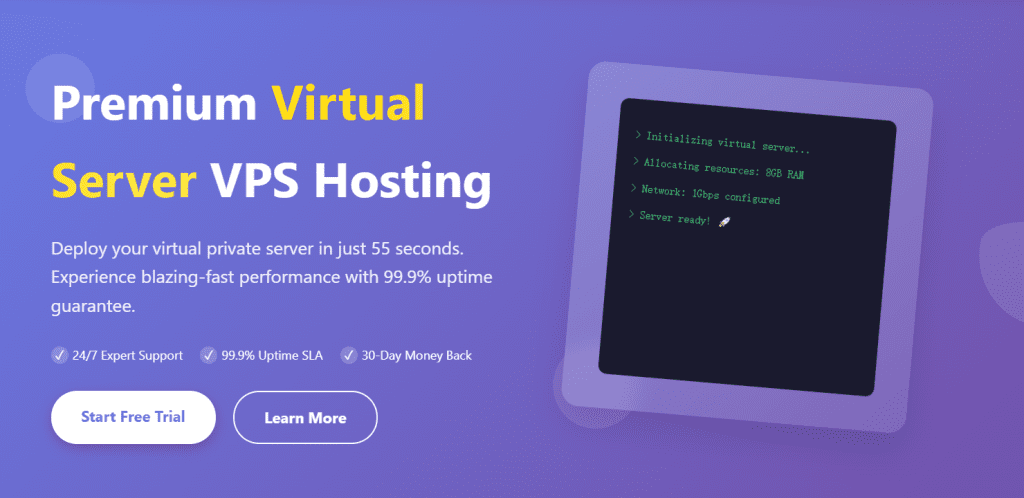
Whether you’re launching a high-traffic website, deploying applications, or managing multiple client projects, understanding the nuances of VPS rental can save you thousands of dollars while ensuring optimal performance.
What is Virtual VPS Server Rental?
Virtual VPS server rental refers to the service of leasing virtualized server resources from a hosting provider. Unlike traditional shared hosting where multiple users share the same server resources, a VPS provides you with dedicated resources within a virtualized environment.
How VPS Virtualization Works
VPS technology utilizes hypervisor software to partition a physical server into multiple virtual machines. Each virtual machine operates independently with its own:
- Dedicated CPU cores
- Guaranteed RAM allocation
- Isolated storage space
- Independent operating system
- Root access privileges
- Private IP address
This virtualization technology ensures that your virtual VPS server rental provides consistent performance, regardless of other users on the same physical hardware.
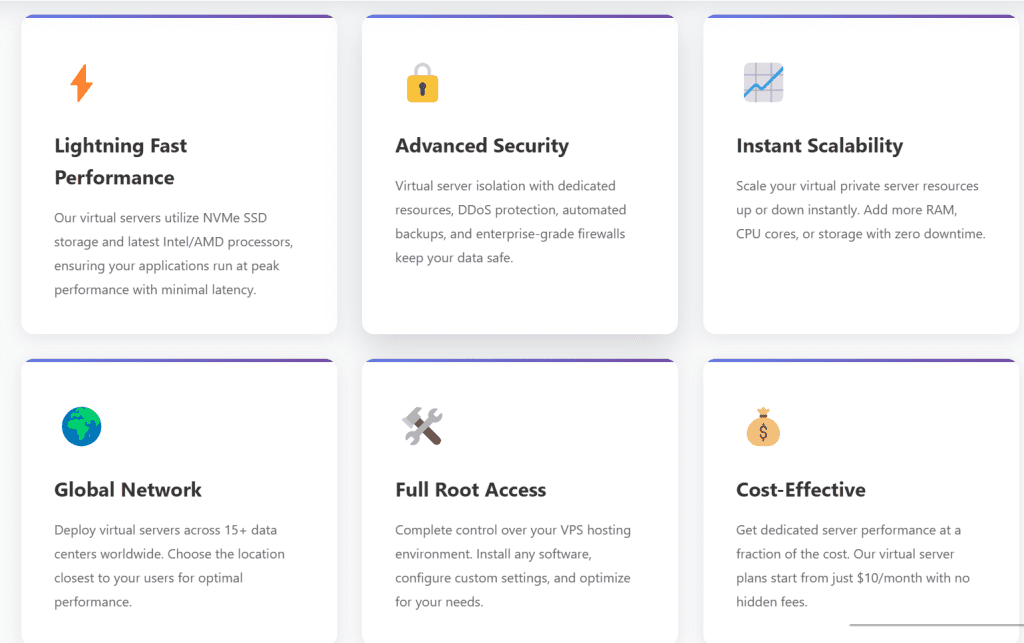
Types of Virtual VPS Server Rental Options
1. Managed VPS Rental
Managed virtual VPS server rental includes comprehensive administrative support from your hosting provider. This option is ideal for businesses without dedicated IT staff.
Key Features:
- Server monitoring and maintenance
- Security updates and patches
- Backup management
- Technical support 24/7
- Performance optimization
- Software installations
Best For: Small to medium businesses, non-technical users, and companies focusing on core business activities.
2. Unmanaged VPS Rental
Unmanaged VPS rental provides you with raw server resources and root access, but you’re responsible for all configuration, maintenance, and security.
Key Features:
- Full root access
- Complete control over configurations
- Lower monthly costs
- Custom software installations
- Flexibility for complex setups
Best For: Developers, system administrators, and tech-savvy businesses with in-house IT expertise.
3. Cloud VPS Rental
Cloud VPS combines traditional VPS benefits with cloud infrastructure’s scalability and redundancy.
Key Features:
- Instant scalability
- High availability
- Pay-as-you-go pricing models
- Geographic distribution
- Automatic failover protection
Best For: Growing businesses, applications with variable traffic, and mission-critical services.
Benefits of Virtual VPS Server Rental
Cost-Effectiveness
Virtual VPS server rental offers enterprise-level features at a fraction of dedicated server costs. You can expect to pay between $10-$100 monthly, compared to $100-$500+ for dedicated servers.
Scalability and Flexibility
Your VPS can grow with your business. Most providers allow instant upgrades to:
- Additional CPU cores
- Increased RAM
- Expanded storage
- Higher bandwidth limits
Enhanced Security
VPS rental provides isolated environments that protect your data from neighboring tenants. You can implement:
- Custom firewall rules
- SSL certificates
- Private networks
- Intrusion detection systems
- Regular backup schedules
Improved Performance
With dedicated resources, your virtual VPS server rental ensures consistent performance metrics:
- Faster page load times
- Better database query performance
- Improved application responsiveness
- Reduced latency
Complete Control
Root or administrator access enables you to:
- Install custom software
- Configure server settings
- Manage security protocols
- Optimize for specific applications
How to Choose the Right Virtual VPS Server Rental
Step 1: Assess Your Resource Requirements
Calculate your current and projected needs:
CPU Requirements:
- Basic websites: 1-2 cores
- Medium traffic sites: 2-4 cores
- High-traffic applications: 4-8+ cores
RAM Requirements:
- Simple websites: 1-2 GB
- WordPress sites: 2-4 GB
- Complex applications: 4-16 GB
- Database servers: 8-32+ GB
Storage Requirements:
- Small websites: 20-50 GB
- E-commerce sites: 50-100 GB
- Media-heavy sites: 100-500 GB
- Large applications: 500+ GB
Bandwidth Requirements:
- Low-traffic sites: 500 GB-1 TB
- Medium-traffic sites: 1-3 TB
- High-traffic sites: 3-10 TB
- Unlimited options available
Step 2: Select Your Operating System
Linux VPS Options:
- Ubuntu: User-friendly, extensive documentation, great community support
- CentOS/Rocky Linux: Stable, secure, enterprise-focused
- Debian: Lightweight, reliable, perfect for servers
- Fedora: Cutting-edge features, frequent updates
Windows VPS Options:
- Windows Server 2019/2022: Full Windows environment, .NET support
- Windows Server Core: Lightweight, command-line focused
Step 3: Evaluate Provider Reputation
Research potential VPS rental providers:
- Read customer reviews and testimonials
- Check uptime guarantees (look for 99.9%+)
- Review support response times
- Examine pricing transparency
- Verify data center locations
- Assess backup and disaster recovery options
Step 4: Consider Technical Support
Quality support can make or break your VPS experience:
- 24/7 Availability: Ensure round-the-clock support
- Multiple Channels: Live chat, phone, email, and ticket systems
- Response Times: Look for providers with <15 minute response times
- Technical Expertise: Support staff should understand VPS infrastructure
Step 5: Analyze Pricing Models
Virtual VPS server rental pricing typically includes:
Monthly Contracts:
- Higher monthly rates
- Flexibility to cancel anytime
- No long-term commitment
Annual Contracts:
- 10-30% discount
- Upfront payment
- Locked-in pricing
Hourly Billing:
- Pay only for usage
- Perfect for testing
- Flexible scaling
Setting Up Your Virtual VPS Server Rental
Initial Configuration Steps
1. Secure Your Server Immediately
# Update system packages
sudo apt update && sudo apt upgrade -y

# Configure firewall
sudo ufw enable
sudo ufw allow ssh
sudo ufw allow http
sudo ufw allow https

# Disable root login
sudo nano /etc/ssh/sshd_config
# Set: PermitRootLogin no

# Create new admin user
sudo adduser yourusername
sudo usermod -aG sudo yourusername
2. Install Essential Software
# Web server (choose one)
sudo apt install nginx -y
# or
sudo apt install apache2 -y

# Database
sudo apt install mysql-server -y
# or
sudo apt install postgresql -y

# Programming languages
sudo apt install php php-fpm php-mysql -y
sudo apt install python3 python3-pip -y
sudo apt install nodejs npm -y
3. Configure Automated Backups
# Install backup tools
sudo apt install rsync -y

# Create backup script
sudo nano /usr/local/bin/backup.sh

# Schedule with cron
sudo crontab -e
# Add: 0 2 * * * /usr/local/bin/backup.sh
Performance Optimization
Enable Caching
Install and configure caching systems:
- Redis: In-memory data structure store
- Memcached: High-performance distributed memory object caching
- Varnish: HTTP accelerator for content-heavy sites
Optimize Web Server
# Nginx optimization example
worker_processes auto;
worker_connections 1024;

gzip on;
gzip_vary on;
gzip_proxied any;
gzip_comp_level 6;
gzip_types text/plain text/css text/xml text/javascript
           application/json application/javascript application/xml+rss;
Database Tuning
-- MySQL optimization
SET GLOBAL query_cache_size = 268435456;
SET GLOBAL max_connections = 200;
SET GLOBAL innodb_buffer_pool_size = 2147483648;
Security Best Practices for VPS Rental
Essential Security Measures
1. Implement Strong Authentication
- Use SSH key-based authentication
- Disable password authentication
- Implement two-factor authentication
- Change default ports (SSH from 22 to custom)
2. Regular Security Updates
# Automate security updates
sudo apt install unattended-upgrades -y
sudo dpkg-reconfigure --priority=low unattended-upgrades
3. Install Intrusion Detection
# Install Fail2Ban
sudo apt install fail2ban -y
sudo systemctl enable fail2ban
sudo systemctl start fail2ban
4. Configure Web Application Firewall
- ModSecurity for Apache
- NAXSI for Nginx
- Cloudflare WAF for additional protection
5. SSL/TLS Certificates
# Install Let's Encrypt
sudo apt install certbot python3-certbot-nginx -y
sudo certbot --nginx -d yourdomain.com
Monitoring and Maintenance
Performance Monitoring Tools:
- Netdata: Real-time performance monitoring
- Nagios: Comprehensive infrastructure monitoring
- Prometheus + Grafana: Metrics collection and visualization
- New Relic: Application performance monitoring
Log Management:
# Centralize logs
sudo apt install rsyslog -y

# Monitor logs in real-time
sudo tail -f /var/log/syslog
sudo tail -f /var/log/nginx/access.log
Cost Comparison: Virtual VPS Server Rental vs Alternatives
VPS vs Shared Hosting
| Feature | Shared Hosting | VPS Rental |
|---|---|---|
| Cost | $3-$15/month | $10-$100/month |
| Performance | Variable | Consistent |
| Resources | Shared | Dedicated |
| Control | Limited | Full root access |
| Scalability | Limited | High |
| Best For | Small blogs | Growing businesses |
VPS vs Dedicated Servers
| Feature | VPS Rental | Dedicated Server |
|---|---|---|
| Cost | $10-$100/month | $100-$500+/month |
| Setup Time | Minutes | Hours/Days |
| Scalability | Instant | Manual |
| Maintenance | Provider/You | You |
| Best For | Most businesses | Enterprise/High-traffic |
VPS vs Cloud Hosting
| Feature | Traditional VPS | Cloud VPS |
|---|---|---|
| Pricing | Fixed monthly | Pay-as-you-go |
| Scalability | Manual | Automatic |
| Redundancy | Single server | Multiple nodes |
| Reliability | 99.9% | 99.99%+ |
| Best For | Stable workloads | Variable traffic |
Common Use Cases for Virtual VPS Server Rental
1. Web Hosting
Host multiple websites with dedicated resources:
- WordPress sites
- E-commerce platforms
- Corporate websites
- Portfolio sites
2. Application Development
Create isolated development environments:
- Testing environments
- Staging servers
- CI/CD pipelines
- Version control systems
3. Database Hosting
Run dedicated database servers:
- MySQL/MariaDB
- PostgreSQL
- MongoDB
- Redis clusters
4. Email Servers
Host private email infrastructure:
- Custom domain email
- Enhanced security
- Greater storage
- Better deliverability
5. Game Servers
Deploy multiplayer gaming platforms:
- Minecraft servers
- Counter-Strike servers
- ARK servers
- Custom game hosting
6. VPN Services
Create private VPN solutions:
- Remote access
- Secure browsing
- Geographic flexibility
- Privacy protection
7. Backup Solutions
Centralized backup storage:
- Automated backups
- Disaster recovery
- Version control
- Long-term storage
Top Virtual VPS Server Rental Providers in 2025
Evaluation Criteria
When selecting a provider, consider:
Performance Metrics:
- CPU benchmark scores
- Network speed tests
- I/O performance
- Uptime history
Pricing Transparency:
- No hidden fees
- Clear upgrade paths
- Refund policies
- Contract terms
Global Presence:
- Data center locations
- Network connectivity
- CDN integration
- Geographic redundancy
Customer Support:
- Response times
- Technical expertise
- Available channels
- Customer satisfaction scores
Migration to Virtual VPS Server Rental
Pre-Migration Checklist
1. Inventory Your Current Setup
- List all installed software
- Document configuration files
- Export databases
- Backup all files
2. Choose Migration Strategy
Manual Migration:
- Full control
- Lower costs
- Time-intensive
- Technical expertise required
Managed Migration:
- Provider assistance
- Faster completion
- Minimal downtime
- Additional fees
Automated Migration:
- Migration tools/plugins
- Medium complexity
- Moderate downtime
- Some technical knowledge needed
Step-by-Step Migration Process
Step 1: Prepare Your New VPS
# Connect to new VPS
ssh username@your-vps-ip

# Update system
sudo apt update && sudo apt upgrade -y

# Install required software stack
# (Web server, database, PHP, etc.)
Step 2: Transfer Files
# Using rsync
rsync -avz -e ssh /local/path/ username@vps-ip:/remote/path/

# Using SCP
scp -r /local/path/ username@vps-ip:/remote/path/

# Using FTP/SFTP clients
# FileZilla, WinSCP, Cyberduck
Step 3: Migrate Databases
# Export database from old server
mysqldump -u username -p database_name > database_backup.sql

# Import to new VPS
mysql -u username -p database_name < database_backup.sql
Step 4: Update Configuration
- Modify database connection strings
- Update file paths
- Configure domain DNS settings
- Test all functionality
Step 5: DNS Migration
- Lower TTL values 24-48 hours before
- Update DNS records to new IP
- Monitor traffic shift
- Keep old server active briefly
Post-Migration Tasks
1. Comprehensive Testing
- Check all pages and links
- Test forms and functionality
- Verify database connections
- Monitor error logs
- Test email delivery
2. Performance Optimization
- Configure caching
- Optimize images
- Enable CDN
- Monitor resource usage
3. Security Hardening
- Update all passwords
- Configure firewall rules
- Install security software
- Enable SSL certificates
- Schedule automated backups
Troubleshooting Common VPS Issues
Performance Problems
High CPU Usage:
# Identify resource-intensive processes
top
htop

# Check for runaway processes
ps aux | sort -nrk 3,3 | head -n 5

# Restart problematic services
sudo systemctl restart servicename
Memory Issues:
# Check memory usage
free -h
vmstat 1 5

# Clear cache if needed
sudo sync; echo 3 > /proc/sys/vm/drop_caches
Disk Space:
# Check disk usage
df -h
du -sh /* | sort -hr

# Clean up unnecessary files
sudo apt autoremove
sudo apt autoclean
Connectivity Issues
Network Debugging:
# Test connectivity
ping -c 5 google.com
traceroute google.com

# Check listening ports
sudo netstat -tulpn
sudo ss -tulpn

# Verify firewall rules
sudo ufw status
sudo iptables -L
Security Incidents
Suspicious Activity Response:
- Isolate the server (disconnect from network if necessary)
- Preserve logs for forensic analysis
- Identify the breach vector
- Patch vulnerabilities
- Restore from clean backups
- Update all credentials
- Implement additional security measures
Future Trends in Virtual VPS Server Rental
Emerging Technologies
1. Containerization Integration
VPS providers increasingly support:
- Docker containers
- Kubernetes orchestration
- Microservices architecture
- Serverless functions
2. Edge Computing
Distributed VPS networks for:
- Lower latency
- Better geographic distribution
- Improved user experience
- IoT applications
3. AI-Powered Management
Automated systems for:
- Resource optimization
- Threat detection
- Performance tuning
- Predictive scaling
4. Green Hosting
Environmentally conscious providers offering:
- Carbon-neutral data centers
- Renewable energy powered servers
- Energy-efficient hardware
- Sustainability certifications
Making the Most of Virtual VPS Server Rental
Virtual VPS server rental represents the optimal balance between cost, performance, and control for most modern web applications and businesses. By understanding the fundamentals covered in this guide, you can:
- Select the right VPS configuration for your needs
- Implement best practices for security and performance
- Optimize costs while maintaining quality service
- Scale effectively as your requirements grow
The key to successful VPS rental lies in careful planning, regular maintenance, and staying informed about industry developments. Whether you’re running a small blog or a complex web application, a well-configured VPS provides the foundation for reliable, scalable, and secure hosting.
Action Steps
- Assess your current hosting needs and projected growth
- Research providers based on the criteria outlined in this guide
- Start with a test VPS to familiarize yourself with management
- Implement security measures immediately upon setup
- Monitor performance and optimize continuously
- Plan for scaling before you need it
By following these guidelines and best practices, you’ll maximize the value of your virtual VPS server rental investment while ensuring optimal performance and security for your online presence.
Frequently Asked Questions (FAQ)
Q: What’s the difference between VPS and VPN? A: A VPS (Virtual Private Server) is a hosting solution providing server resources, while a VPN (Virtual Private Network) is a security tool for encrypted internet connections. They serve completely different purposes.
Q: Can I upgrade my VPS resources later? A: Yes, most providers offer instant upgrades for CPU, RAM, storage, and bandwidth. Some require server restart, while others support live upgrades.
Q: Is VPS rental suitable for beginners? A: Managed VPS rental is beginner-friendly with provider support. Unmanaged VPS requires technical knowledge. Start with managed services if you’re new to server administration.
Q: How much does virtual VPS server rental cost? A: Prices range from $10-$15/month for basic plans to $100+/month for high-resource configurations. Cloud VPS uses pay-as-you-go pricing starting around $0.01/hour.
Q: What operating system should I choose? A: Linux (Ubuntu, CentOS) is recommended for most uses due to better performance, security, and lower costs. Choose Windows VPS only if you require specific Windows applications or .NET framework.
Q: Do I need technical skills for VPS management? A: For managed VPS, minimal technical skills are needed. Unmanaged VPS requires knowledge of Linux/Windows administration, security, and troubleshooting.
Q: Can I host multiple websites on one VPS? A: Yes, a single VPS can host multiple websites using virtual hosts (Apache) or server blocks (Nginx), limited only by available resources.
Q: How secure is VPS rental? A: VPS is more secure than shared hosting due to isolation, but security depends on proper configuration. Implement firewalls, regular updates, and security best practices.

Leave a Reply
You must be logged in to post a comment.